
To create more sections or add a section in a new store you must create a polyzone.
First make sure you have the following script on your server: https://github.com/mkafrin/PolyZone
Once you have it, use the following command in the chat: /pzcreate box poliname
Press enter and you will be prompted for the width and length. I recommend that you use equal widths and lengths to make a box, for example 2 widths and 2 lengths.
Once this is done, you will see a green box appear on the screen. You can move it with the arrow keys and rotate it with the point button.
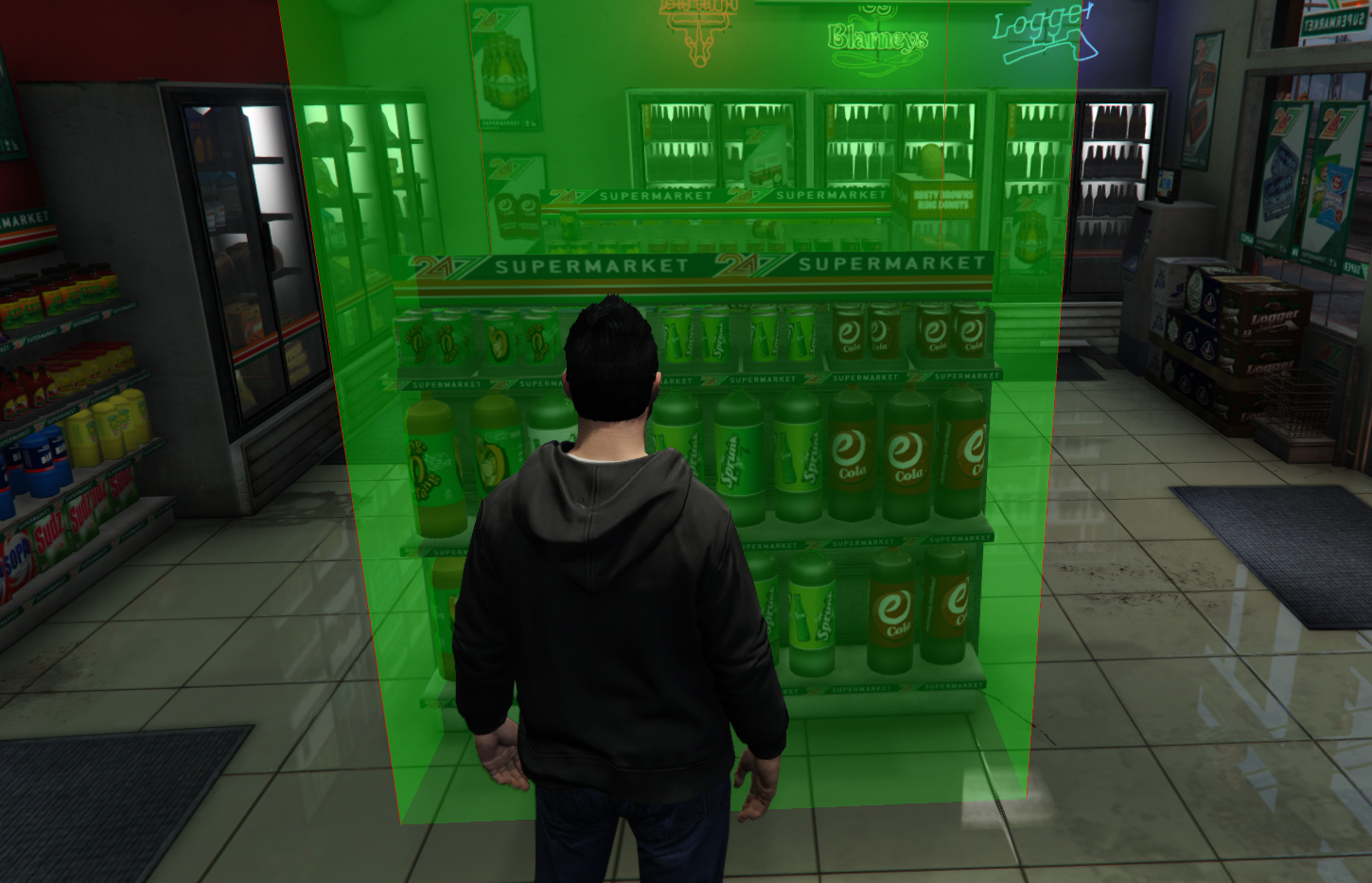
Place it on top of where you want to create the target zone. For example on a food shelf.
Now use the /pzfinish command
Now you will have to go to the path where you have installed your server. And you will see that you have a file called "polyzone_created_zones.txt" Open it and you will find that a new zone has been created.
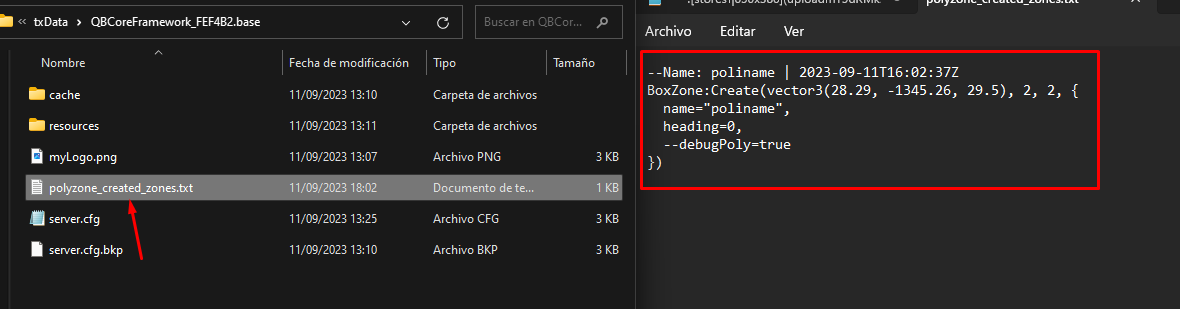
Now copy vector3, along with the width and length. And paste it in the section of your new store:

Restart the script with the /restart bit-stores command to load the new polyzone and you should be able to use the target in your new section.